 Cranklet
Cranklet
Your trainer. Your ride. No strings attached.
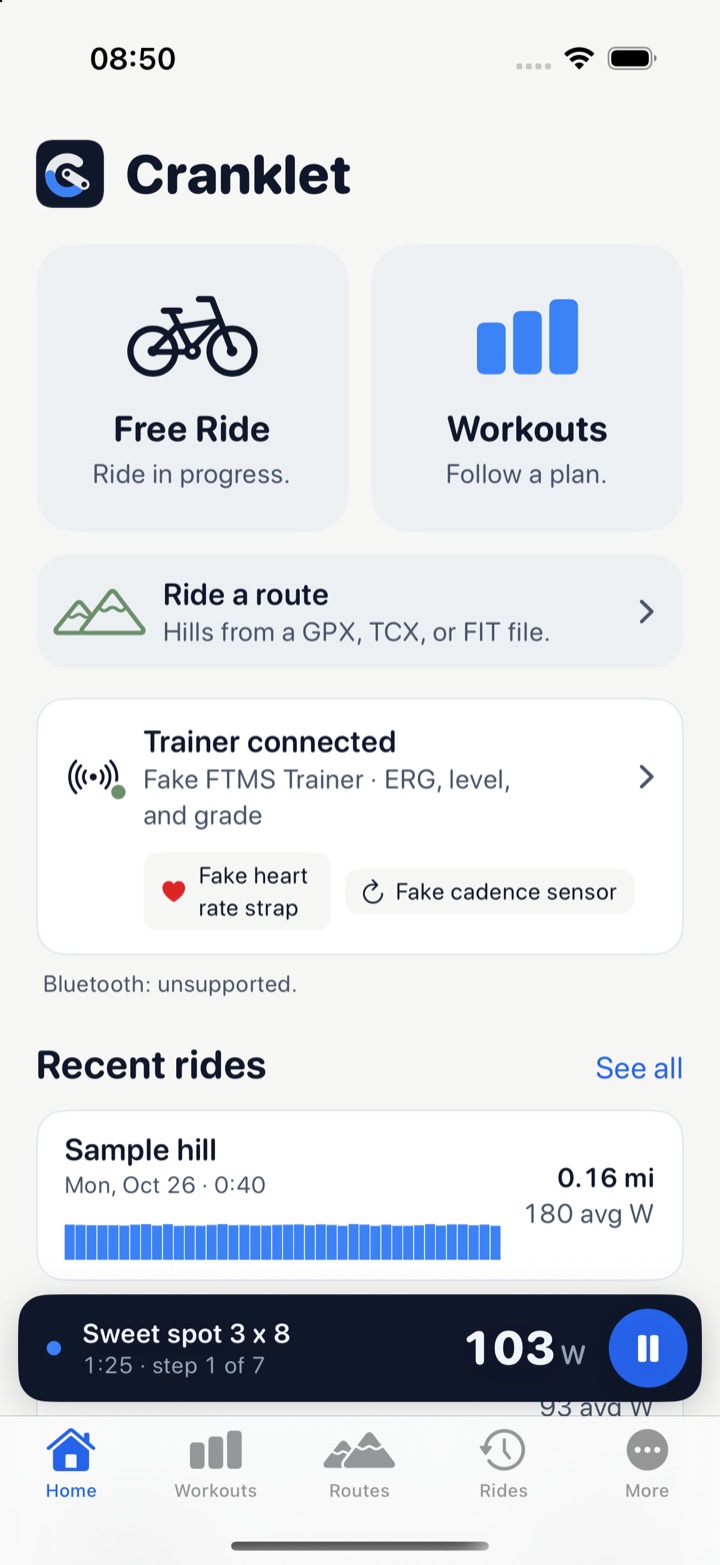
Cranklet controls your smart trainer over Bluetooth. Free ride, follow a structured workout, or ride a route with real hills. Every ride is saved as a FIT file on your device.
Coming soon for iPhone, iPad, and Mac
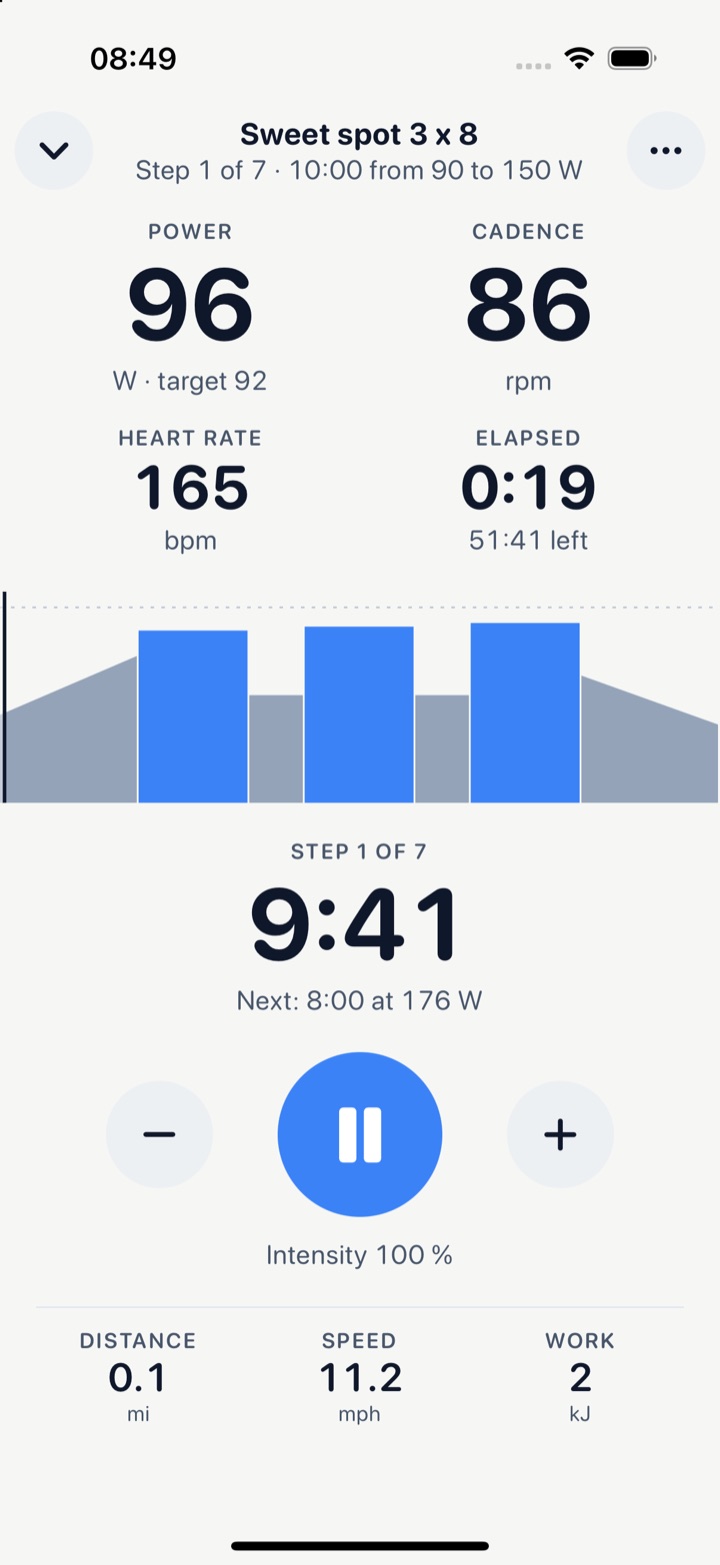
The ride gets the whole screen.
Numbers you can read from the saddle. Power, cadence, heart rate, and time, with the step countdown and the whole workout drawn under them. The trainer holds the target. You pedal.
- Power
- 178W
target 176
- Cadence
- 88rpm
- Heart rate
- 142bpm
- Step 3 of 7
- 4:52
next: 3:00 at 110 W
- −
- ▮▮
- +
- Lower or raise the whole workout by 5 percent. Skip a step. Mark a lap. Pause and resume. Big buttons, since you hit them mid-sprint.
Three ways to ride.
Pair your trainer once. Then pick how today goes.
-
Free ride
Pick a mode and change it mid-ride. Hold a power in ERG. Set a resistance level. Set a grade, with virtual gears for a trainer with one cog. Or turn control off and just spin.
- ERG
- Level
- Grade
- Off
-
Workouts
Follow a structured workout in ERG mode. Build one in the app, or import a Zwift ZWO file. Targets are a percent of your FTP. Not sure of yours? Take the ramp test.
-
Routes
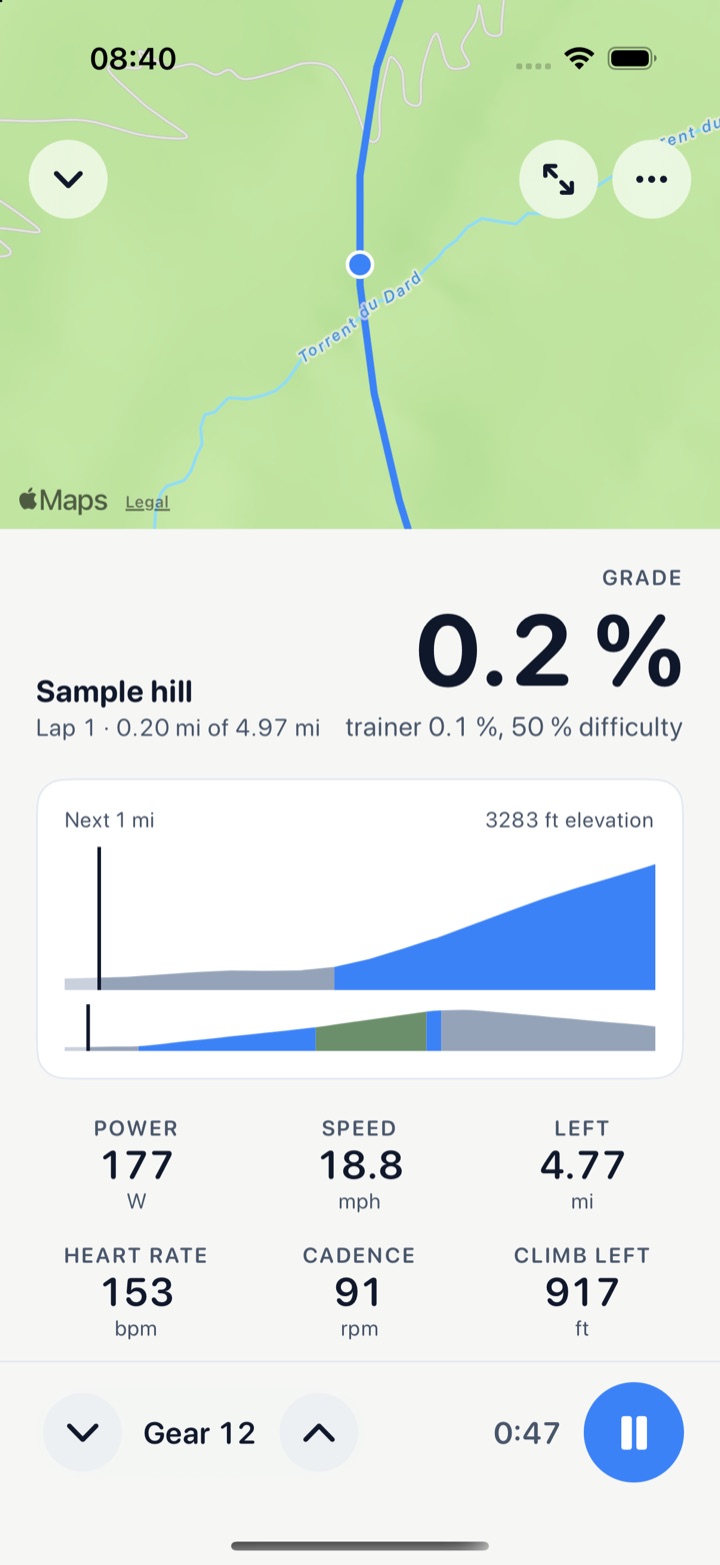
Import a GPX, TCX, or FIT route. The trainer follows its hills. Your speed comes from your power, your weight, and the real grade, and the map follows you.
Build a workout, or bring one in.
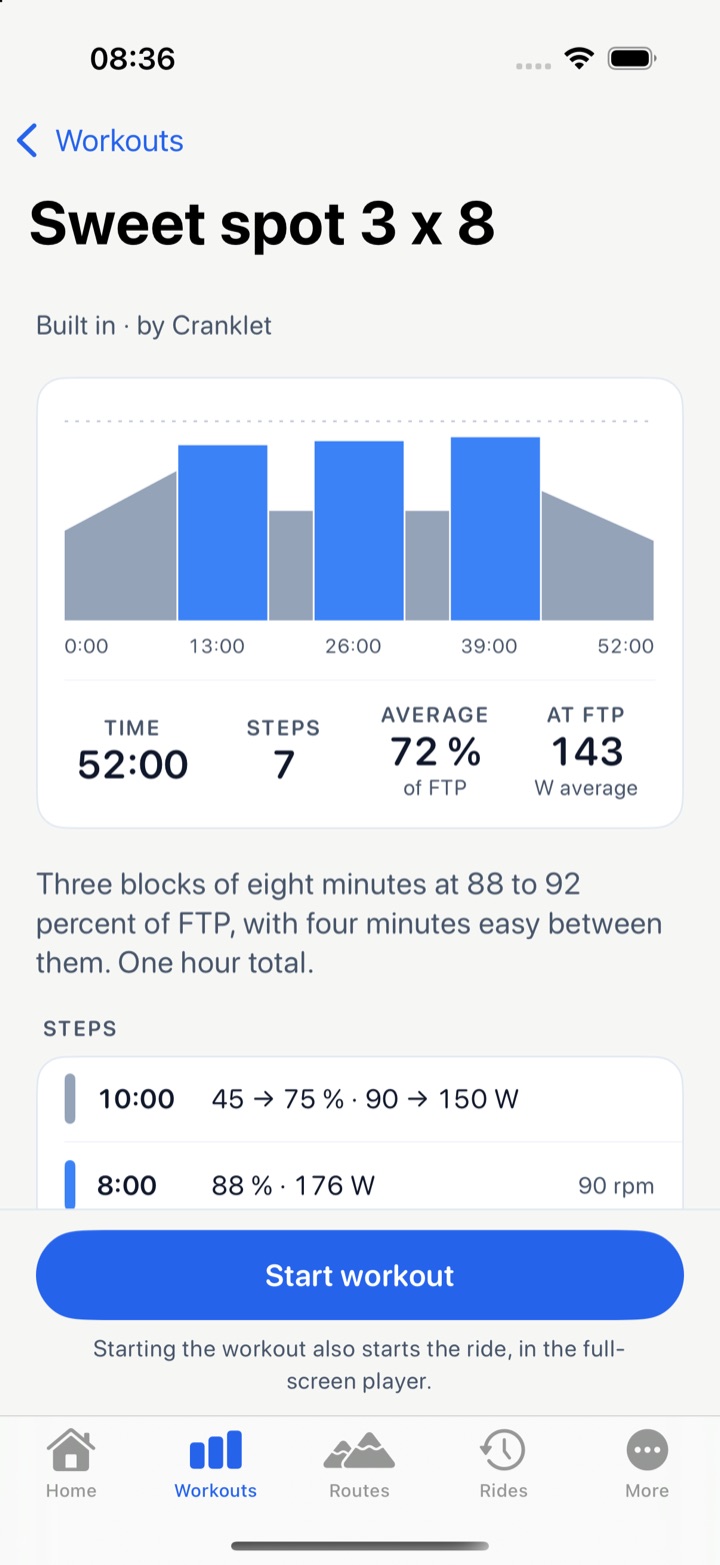
Warm up, steady, intervals, ramps, free ride, cool down. Each step shows its zone and its watts at your FTP. The graph shows the whole plan before you start.
- EasyWarm up, 10:0090 to 150 W
- TempoSweet spot, 8:00176 W
- EasyRecover, 4:00110 W
- HardOver, 1:00220 W
- Easy, under 76 percent of FTP
- Tempo, 76 to 105 percent
- Hard, 106 percent and up
- Import a ZWO file from Zwift or any editor. Export yours the same way.
- Edit a built-in workout. Your edit is saved as a new one.
- A ramp test that sets your FTP when you cannot hold the power any more.
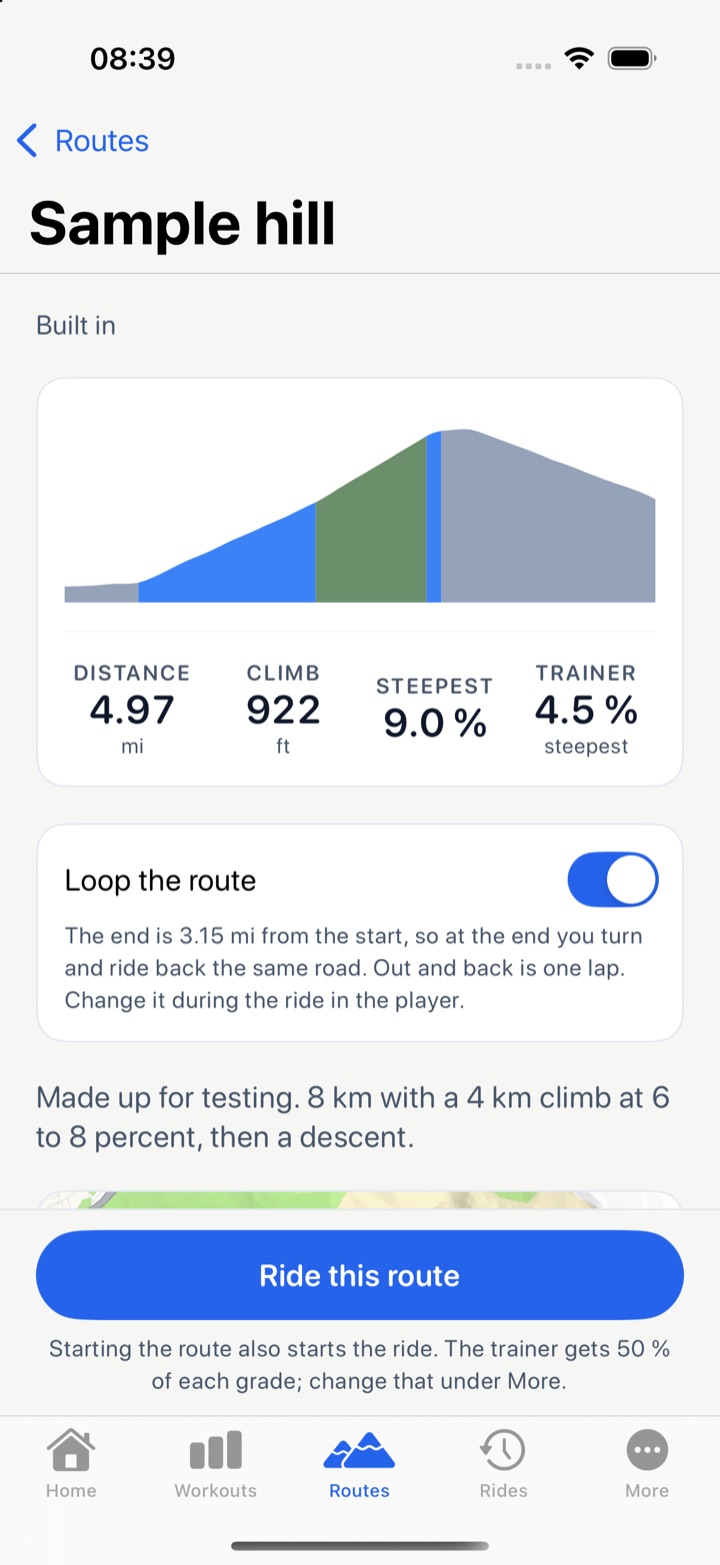
Ride a real road.
Open a route from your bike computer or from a ride you did outside. The profile is colored by grade. The trainer gets the share of each climb you choose, from a flat spin to the whole hill. Loop a route, or ride out and back.
- Flat, under 3 percent
- Up, 3 to 7 percent
- Steep, 7 percent and more
Every ride, saved your way.
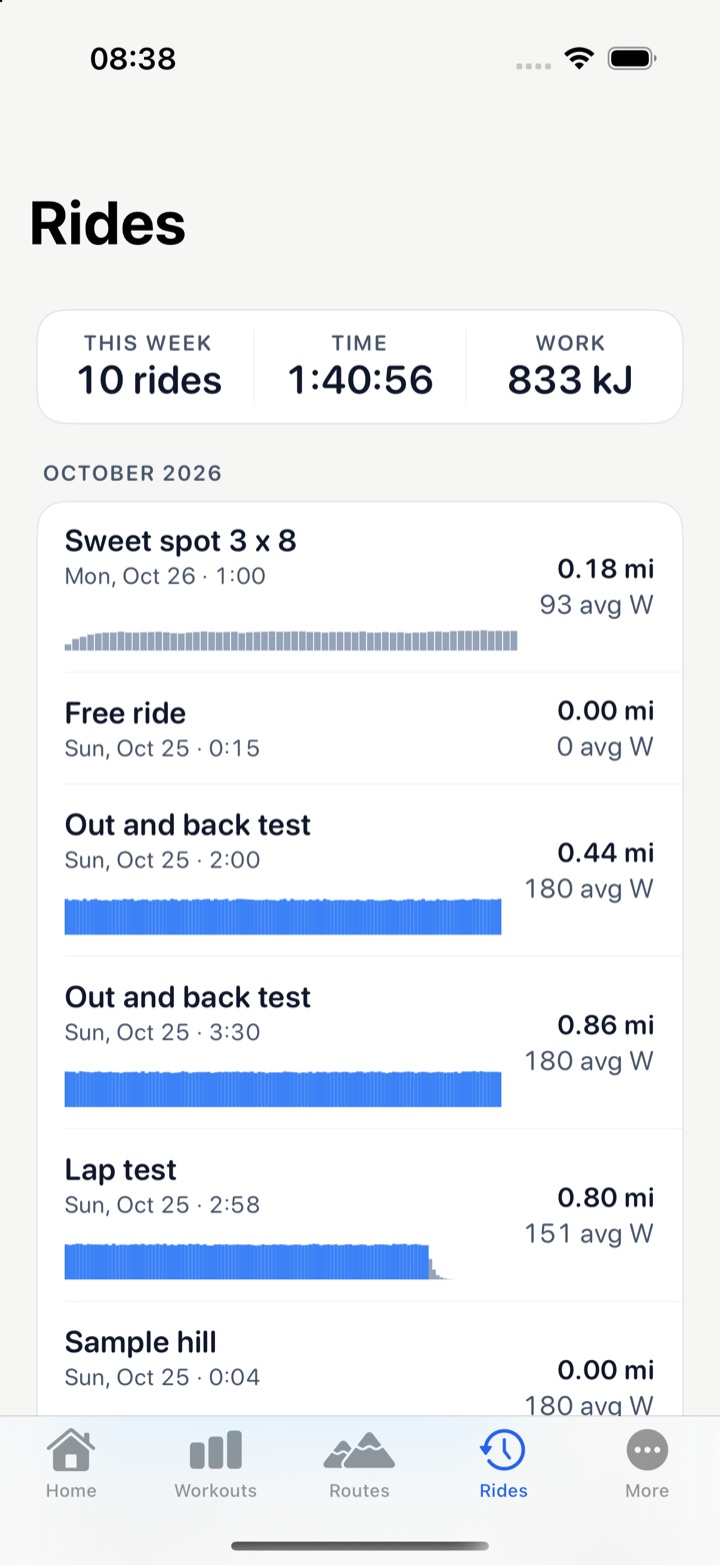
Each ride is recorded once a second and written as a standard FIT file. Share it to any app that reads one. On iPhone and iPad, it can also go to Apple Health as an indoor cycling workout, with the route map when you rode a route.
- This week
- 4 rides
- Time
- 3:12
- Work
- 2,140 kJ
- Open a ride for its power, heart rate, cadence, speed, and elevation charts, time in power zones, a power curve, and a lap table.
- One FIT lap per workout step. Mark your own laps on a free ride.
- Keep rides on this device, in your iCloud Drive, or in a folder you choose. Your files, in a format every training site reads.
- A ride that crashes mid-way is recovered at the next launch.
Start it, then look away.
The ride keeps going when you switch to another app. A Live Activity on the Lock Screen shows your power and the step countdown, and a notification tells you when the workout is done, or when the trainer let go because you stopped pedaling. Minimize the player and a bar keeps the time and your watts in view on every screen.
Works with the gear you have.
Everything talks over Bluetooth. Pair a device once. It reconnects by itself next time.
-
Smart trainers
Any trainer that speaks the standard FTMS protocol. The Wahoo KICKR SNAP and other older Wahoo trainers work through Wahoo's own protocol. Cranklet is built and tested on a KICKR SNAP. Calibrate with a spindown from the app.
-
Heart rate and cadence
Pair a chest strap or arm band, and a cadence sensor. They record next to the trainer's power and show live in the player.
-
iPhone, iPad, and Mac
One app. A tab bar on iPhone, a sidebar on iPad and Mac. On the Mac, Space pauses, the arrow keys change intensity and skip a step, and a Ride menu lists the rest.
-
Your units
Miles or kilometers, pounds or kilograms. Units change only what you see. Rides and files stay metric, as the FIT standard asks.
Private by design.
- No account
- No sign-up and no login. Open the app, pair your trainer, and ride.
- No server
- Cranklet sends nothing to us. We have nowhere to put it.
- No ads
- We do not sell or share your information.
- No analytics
- No tracking and no crash reporting service.
Your rides stay on your device. If you choose iCloud Drive, they sync through your own iCloud. Read the privacy policy.